Piano Fire 2: Slide Challenge
- 4.5
- Rating
- 50.00M
- Installs
- Free
- Price

 Analysis by App-foxy
I spent time with Piano Fire 2: Slide Challenge as a quick music game built around tapping and sliding across moving tiles. The idea is immediately understandable: follow the rhythm, keep your hands moving, and try to stay with the song as the pattern becomes more demanding. It is the sort of game I can open for a short break without first learning a complicated control system.
That simplicity is also the reason it has such broad appeal. This is a free game from Adaric Music, listed in the music category, and it carries an Everyone 10+ age rating. Its current version is 1.0.88, while the minimum requirement is Android 6.0, so it is aimed at a wide range of Android devices rather than only recent phones. The game has reached over 50 million installs and holds a 4.6 average from around 78 thousand ratings, which suggests that the basic rhythm-game formula has connected with a large audience.
How the sliding rhythm works in everyday play
The central challenge is not musical performance in the traditional sense. I am not playing a full piano keyboard or arranging notes. Instead, I am reacting to the visual flow of tiles and trying to tap or slide at the right moment. That makes the first few sessions approachable, even for someone who would not describe themselves as a musician.
You May Also Like

 AccuWeather: Weather Radar
AccuWeather Review: A Quick, Clear Forecast for Everyday Decisions
For everyday plans, the best forecast is the one you can understand quickly. AccuWeather makes rain timing, radar, and local conditions easy to act on, with a few trade-offs.

 Hill Climb Racing
Why Hill Climb Racing Still Turns Crashes Into One More Run
A tiny car, a bumpy hill and one more upgrade: Hill Climb Racing keeps resurfacing because its simple chaos makes every near-miss feel personal.

 AliExpress - Shopping App
AliExpress Makes Global Shopping Feel Personal, but Shoppers Bear the Risk
AliExpress turns a global marketplace into a pocket-sized discovery engine. Its reach is useful, its shopping loop compelling, and its trade-offs easy to miss.

 Lords Mobile: Kingdom Wars
Lords Mobile Is a Kingdom-Building Routine, Not a Quick Match
A case-by-case verdict on the building, battles, device demands, and social commitments that make Lords Mobile rewarding for some players and exhausting for others.

 PDF Scanner app - TapScanner
TapScanner Makes Paperwork Easier to Capture, Check, and Share
TapScanner makes scanning with a phone feel less like a rescue operation and more like a dependable step in getting work done. Its capture tools are useful, though not flawless.

 Block Blast!
 Shows How Much a Puzzle Game Can Leave Out
A quiet grid game shows why puzzle players increasingly value instant clarity, repeatable skill and low-pressure play—and where the genre still needs to catch up.
More From Our News Desk
View All News


What makes the format engaging is the gap between understanding the controls and actually using them consistently. A tile can look easy when I am watching the screen calmly, but the pressure changes when several actions arrive close together. My attention has to move between the next tile, the current gesture, and the rhythm of the track. That combination gives the game a light skill curve without requiring a tutorial-heavy commitment.
I found it especially suitable for short sessions. If I have a few minutes while waiting for an appointment or taking a break from work, I can play without needing to remember a story, manage a large collection, or rebuild a complicated strategy. The music supplies the momentum, while the tile patterns give the hands something precise to do.
A useful way to approach it is to treat the first attempt at a song as a reading exercise rather than a performance test. I watch how the pattern is arranged, notice whether I am missing because of timing or because I am moving to the wrong place, and then adjust. That small change in attitude makes repeated attempts feel more productive. Instead of simply blaming the speed, I can identify whether my eyes are getting ahead of my fingers.
Why the controls feel different from ordinary piano games
Many piano-themed mobile games are built mainly around repeated taps on lanes. The sliding element here gives the hands a different job. I am not only waiting for a target and touching it; I may need to follow a direction across the screen. That makes the game feel more active than a simple sequence of isolated taps.
The trade-off is that touch accuracy matters more. A small screen can become crowded when my finger covers part of the play area, and a gesture that begins slightly off target can feel less forgiving than a straightforward tap. I would be more comfortable playing on a phone with a clean, responsive display than on an older device with inconsistent touch response.
For that reason, I recommend keeping the phone steady rather than holding it loosely in one hand. A stable grip helps me make controlled slides and keeps my viewing angle consistent. This is a small practical adjustment, but it matters more here than it would in a casual game based only on large buttons.
What the free entry point really offers
The game is free to download and play, which makes trying it low-risk. That is the most important value point for someone deciding whether to install it: I can test the controls and decide whether the rhythm format suits me before spending anything. The free entry also works well for families or friends who want a quick music-themed game without committing to a purchase first.
There are in-app purchases priced from $2.99 to $19.99 per item. I would therefore separate the question of access from the question of optional spending. The free starting point gives the game its strongest value for casual players, while the paid items are a personal choice rather than a reason to assume that everyone needs to spend money.
I would not install it expecting a one-time paid-game experience where every part of the product is settled upfront. The presence of purchases means that players who prefer a completely purchase-free environment should pay attention to the spending possibilities before handing the phone to a child. The age rating is Everyone 10+, but that does not remove the need for a parent to decide how purchases should be handled on a shared device.
For me, the sensible approach is to play the free portion naturally for several sessions before considering any purchase. If the controls still feel awkward after that, spending will not fix the underlying mismatch. If the game has become a regular way to relax and a paid item clearly improves that personal experience, the decision becomes easier to judge. That is a better test than buying immediately because the music-game concept sounds appealing.
The value of repetition and small improvements
The strongest value is not in a long narrative or a deep collection system. It comes from replaying patterns and noticing that my timing improves. A difficult sequence that initially feels chaotic can become readable after I have seen its shape several times. That makes the game a reasonable choice for players who enjoy compact challenges and the satisfaction of gradually making fewer mistakes.
One technique I found useful was to focus on the next action rather than trying to predict the entire sequence. Looking too far ahead made me rush the tile under my finger. Concentrating on the immediate gesture helped me keep a steadier rhythm, especially when slides followed taps. This is the kind of small adjustment that is easy to miss in a store description but can make the game feel much less frustrating.
Another practical tip is to use short, deliberate sessions instead of playing until concentration disappears. Rhythm games can make tired mistakes feel like difficulty spikes. When I stop after a few focused attempts, I can return with better attention and tell whether I am actually improving. This is particularly useful for younger players, who may enjoy the challenge but become frustrated if every miss leads directly into another hurried attempt.
Where it sits beside other music-game choices
Compared with a traditional piano-learning app, this is much more focused on immediate play. I would not choose it if my goal were to learn notation, practice scales, or build a structured musical routine. Its strength is the quick connection between what I see, what I hear, and what my finger does on the screen.
Compared with a full rhythm game that offers extensive progression or a large competitive layer, Piano Fire 2: Slide Challenge feels easier to approach. That can be a benefit when I want something uncomplicated, but it may also disappoint players who need a deep long-term system to stay interested. The better choice depends on whether the main reward is a short burst of timing practice or a large game world built around music.
It also differs from simply listening to a playlist. Passive listening is better when I want to relax without concentrating. This game is better when I want the music to guide an active task. On a crowded commute, for example, listening may be more practical because a moving vehicle makes precise sliding harder. At home during a short break, the interactive format has more room to work.
Small frictions worth considering before installing
The biggest limitation is the narrowness of the core activity. Tapping and sliding tiles can be satisfying, but the experience depends heavily on whether I enjoy repeating rhythm patterns. Someone looking for exploration, character development, or a broad multiplayer experience should skip this one rather than expecting the music theme to provide those things.
Touchscreen conditions also affect the experience. A smudged display, an awkward grip, or a phone that registers gestures inconsistently can turn a fair challenge into a confusing one. I would clean the screen and use both hands when a pattern becomes demanding. That does not change the game itself, but it gives the controls a fair chance to work as intended.
The free price is attractive, yet the in-app purchase range means the overall value depends on personal boundaries. A player who never spends can still evaluate the basic appeal without financial commitment. A player who is easily tempted by optional items should decide on a spending limit before playing, particularly on a device used by several family members.
I also would not treat the high rating as a guarantee that it will suit every player. A 4.6 average from a large audience is encouraging, but rhythm games are unusually dependent on personal taste, reaction comfort, and tolerance for repetition. Someone can respect the design and still prefer a slower music app or a more traditional piano simulator.
Who will get the most from it
I think it is a good fit for casual players who want a music-based game that can be understood quickly. It also suits people who enjoy improving through repetition but do not want a long setup process. The sliding controls give the experience enough physical involvement to feel more substantial than simply pressing a large button whenever it lights up.
It can work well as a shared, informal challenge too. A friend or family member can try the same pattern, compare how the gestures feel, and pass the phone back without needing to learn a complex ruleset. The Everyone 10+ rating makes it more approachable for a broad household audience, although adults should still supervise spending choices on shared devices.
I would be more cautious about recommending it to someone who wants music education. The game can encourage attention to timing, but that is not the same as teaching an instrument. I would also steer away from it for players who dislike restarting a sequence after a mistake, who need a calm non-interactive soundtrack, or who find fast touch gestures uncomfortable.
My buy-or-skip verdict
My recommendation is to try it free if you like pop-oriented rhythm games, quick reflex challenges, or the idea of turning a few spare minutes into a focused music session. The free access makes experimentation easy, and the basic tap-and-slide format is clear enough to judge quickly. I would keep expectations realistic: this is a compact game built around timing, not a replacement for piano practice or a broad music platform.
As for spending, I would wait. The available purchases range from $2.99 to $19.99 per item, so I would only consider one after deciding that the free experience has earned a regular place in my routine. That distinction matters: the game already has value as a no-cost trial and casual activity, while paid value depends on whether a particular optional item genuinely improves how I play.
In the end, I see Piano Fire 2: Slide Challenge as a worthwhile install for the right kind of player rather than a universal recommendation. Its best qualities are immediate controls, active musical timing, and the ability to fit into short breaks. Its weaknesses are equally clear: repetition, touch sensitivity, and a purchase structure that deserves attention. If that balance sounds comfortable to you, I would give the free version a fair test. If you want lessons, deep progression, or a completely hands-off listening experience, I would skip it and choose an app designed for that purpose instead.
FAQs for Piano Fire 2: Slide Challenge
01What is Piano Fire 2: Slide Challenge?
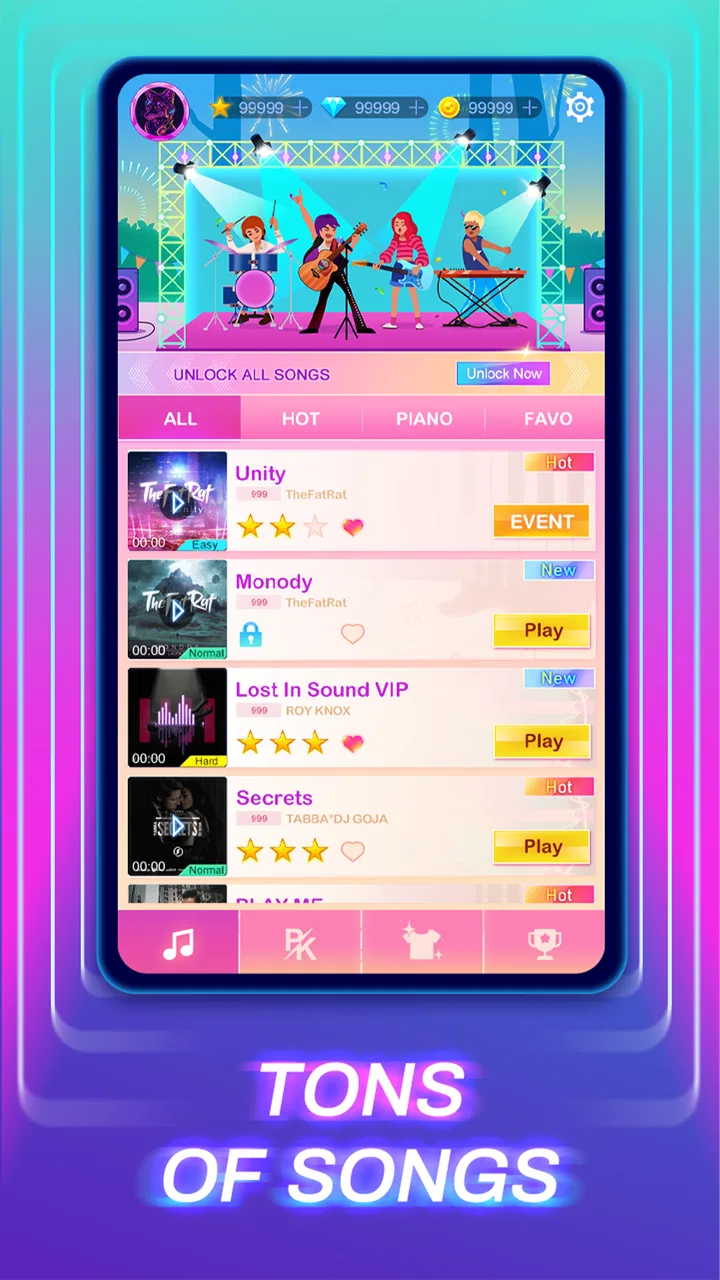
Piano Fire 2: Slide Challenge is a music rhythm game that combines piano melodies with exciting gameplay. Players must tap on the tiles as they slide down the screen, perfectly synchronized with the music. The game offers a variety of songs and difficulty levels, making it both challenging and entertaining for music lovers.
02Is Piano Fire 2: Slide Challenge free to play?
Yes, Piano Fire 2: Slide Challenge is free to download and play. However, it includes in-app purchases and ads. Players can buy additional songs, remove ads, or purchase items to enhance their gaming experience. Always check the app store listings for detailed information on pricing and in-app purchases.
03What are the system requirements for Piano Fire 2: Slide Challenge?
For Android users, Piano Fire 2: Slide Challenge typically requires Android 4.4 and up, while iOS users need iOS 9.0 or later. The game is compatible with most smartphones and tablets. Ensure you have enough storage space and a stable internet connection for downloading and updates.
04Can I play Piano Fire 2: Slide Challenge offline?
Piano Fire 2: Slide Challenge can be played offline, allowing you to enjoy the game without an internet connection. However, some features, such as downloading new songs or accessing certain in-game content, may require an internet connection. It’s best to connect periodically for updates and new content.
05Does Piano Fire 2: Slide Challenge support multiplayer mode?
Piano Fire 2: Slide Challenge primarily focuses on solo gameplay, where players aim to beat their own high scores. Currently, it does not offer a traditional multiplayer mode. However, players can share their scores and challenge friends through social media integration, fostering a competitive spirit.
Pros
- Engaging rhythm gameplay
- Visually stunning graphics
- Wide range of music tracks
- Smooth
- intuitive controls
- Frequent updates with new content
Cons
- Advertisements can disrupt play
- Limited offline functionality
- Requires significant storage space
- In-app purchases can be pricey
- May experience occasional lag

Piano Fire 2: Slide Challenge
Gallery